Advertisement
Click to download now, finish the installation quickly, and directly unlock the "all-round experience"
Advertisement
Screenshots
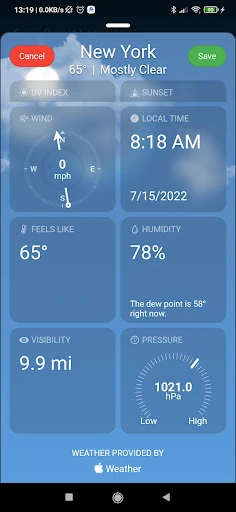
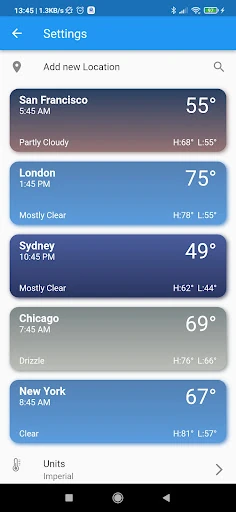
Click to download now, finish the installation quickly, and directly unlock the "all-round experience"
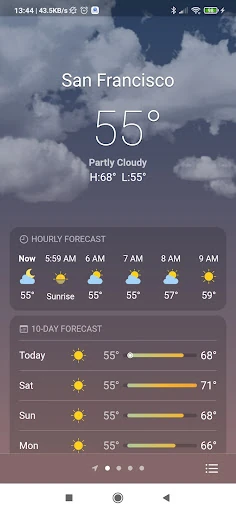
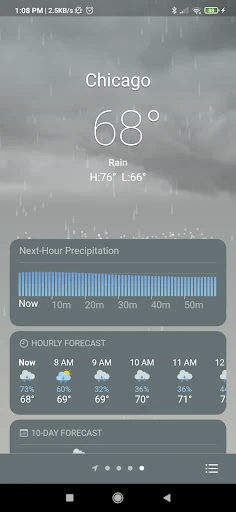
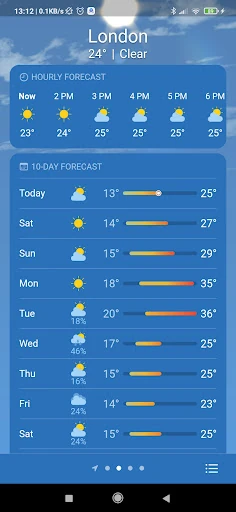
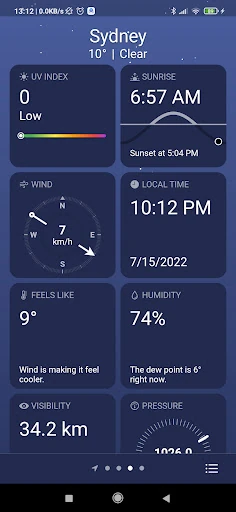
Real Weather enters the highly competitive weather category as a polished, utility-focused application that prioritizes both data accuracy and visual immersion. By leveraging high-tier data providers like Apple's WeatherKit and OpenWeatherMap, it offers a level of reliability often reserved for paid premium services. It fits into the landscape as a versatile alternative to native OS weather apps, specifically catering to users who demand a more aesthetic and customizable interface without sacrificing deep meteorological metrics.
The user experience of Real Weather is centered around atmospheric immersion. The UI utilizes a layered approach where critical data panels float over high-quality animations. This design choice adheres to modern mobile standards by making the app feel alive rather than static. Navigating between the hourly and 10-day forecasts is fluid, and the settings menu for unit conversion (Celsius/Fahrenheit) and location management is straightforward. The standout UX feature is the background transparency control, which empowers users to fine-tune the interface to their specific visual comfort levels.
To further elevate the application, the developers should consider adding a dedicated interactive radar layer for tracking precipitation and storm cells in real-time. Additionally, the implementation of push notifications for severe weather alerts would transform the app from a passive information source into an essential safety tool. Expanding the widget library to include a "minimalist" single-cell temperature tile would also benefit users with crowded home screens.
Real Weather is an ideal choice for the "Visual Realist"—a user who wants their weather app to look as good as it performs. It is particularly well-suited for Android users who find their stock weather applications too utilitarian and want a more "Apple-like" aesthetic and data precision. For a free application, it offers a surprisingly deep feature set and high-end data sourcing, making it a highly recommended install for daily use.