Advertisement
Click to download now, finish the installation quickly, and directly unlock the "all-round experience"
Advertisement
Screenshots
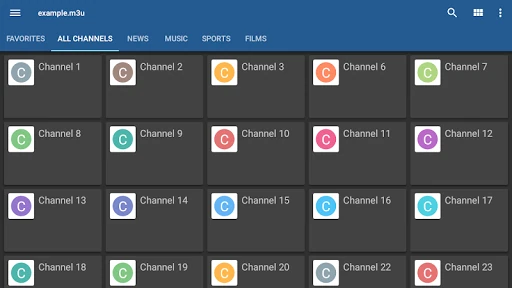
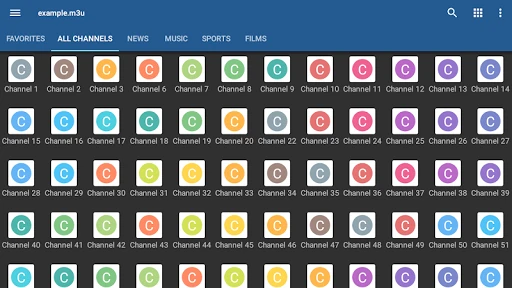
Click to download now, finish the installation quickly, and directly unlock the "all-round experience"
The IPTV app by Alexander Sofronov remains a foundational pillar in the Video Players & Editors category on the Google Play Store. Unlike content-bundled services, this app functions as a sophisticated, lightweight shell that allows users to bridge the gap between raw stream sources—provided by ISPs or web-based M3U lists—and their viewing screens. It represents a "no-frills" utility-first approach to digital television, prioritizing performance and compatibility over flashy marketing. Its presence in the ecosystem is vital for power users who demand control over their stream metadata and playback engine.
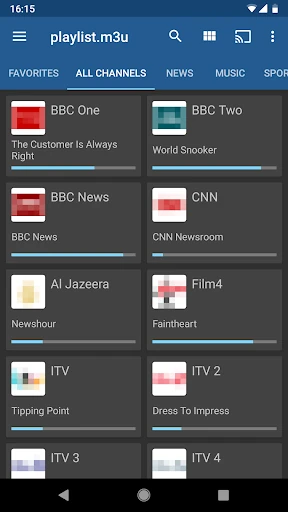
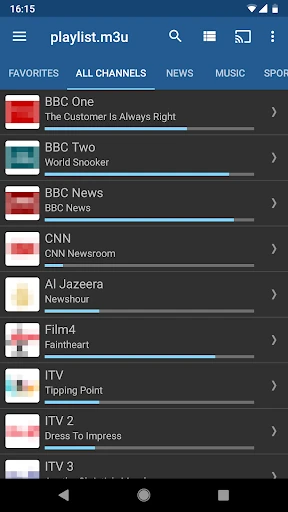
The interface of IPTV is characterized by a utilitarian aesthetic that favors efficiency over visual flair. It offers three distinct viewing modes—Grid, List, and Tile—which cater to both high-density touch screen users and those using a remote control on Android TV boxes. While the design language feels somewhat legacy compared to modern streaming giants, its simplicity contributes to extremely low latency and fast load times. The navigation is logical, though the initial setup requires a basic understanding of playlist URLs, making the user experience lean more toward the intermediate-to-expert user profile.
To remain competitive in an evolving market, the app would benefit from a visual overhaul adopting modern design principles like Material You. Furthermore, adding native support for the Xtream Codes API would streamline the login process for modern IPTV providers. A built-in setup wizard for UDP proxy configurations could also help lower the barrier to entry for less technical users who struggle with network-level configurations.
IPTV is the gold standard for cord-cutters and tech enthusiasts who want a reliable, ad-free environment to manage their own streaming sources. It is specifically recommended for users who own Android TV boxes, set-top boxes, or those who receive IPTV services directly from their ISP. This is a "bring your own content" tool for users who value stability and customization over a hand-holding experience.