🏆 Expert Verdict & Overview
PicsLeap–AI Photo Editor &Grid positions itself as a robust, AI-centric utility within the competitive mobile photography landscape. By integrating cutting-edge machine learning for tasks like image restoration and object removal, it successfully bridges the gap between casual snapshotting and professional-grade post-production. It serves as a versatile all-in-one solution designed for users who demand high-quality, watermark-free results without the steep learning curve typically associated with desktop-grade editing software.
🔍 Key Features Breakdown
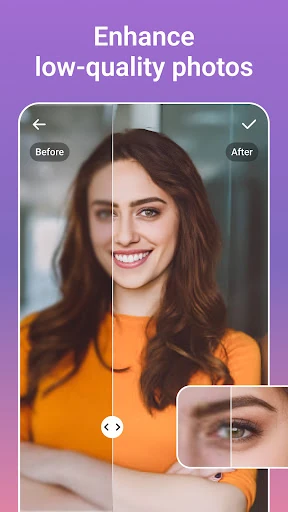
- AI-Driven Image Restoration: This tool utilizes sophisticated algorithms to upscale resolution and revive old, pixelated photos, solving the problem of poor image quality in historical or low-light captures.
- Intelligent Magic Eraser: By automatically filling voids after object removal, this feature allows users to eliminate distractions and maintain visual harmony effortlessly.
- Versatile Collage & Layout Engine: It provides adjustable grids and blending modes, enabling users to weave complex visual narratives from multiple snapshots while maintaining control over borders and backgrounds.
- Professional Color Grading (HSL & Curves): These advanced tools offer granular control over highlights, split tones, and color harmony, empowering mobile photographers to achieve specific, high-end aesthetic signatures.
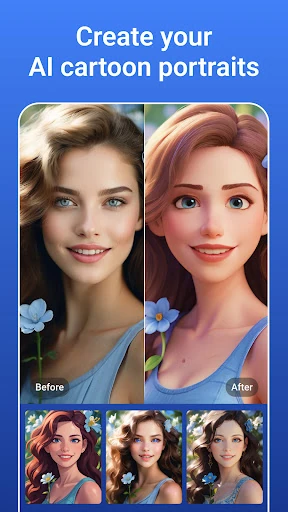
- AI Stylization & Cartoon Filters: Using neural style transfer, the app converts standard portraits into diverse art forms like manga or vintage illustrations with a single tap, removing the need for manual drawing skills.
🎨 User Experience & Design
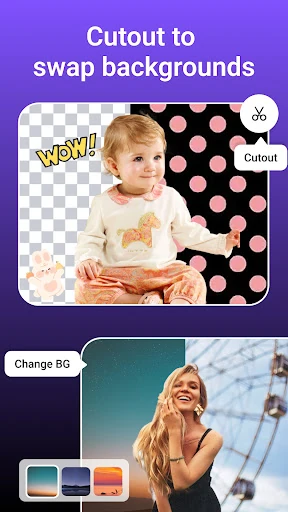
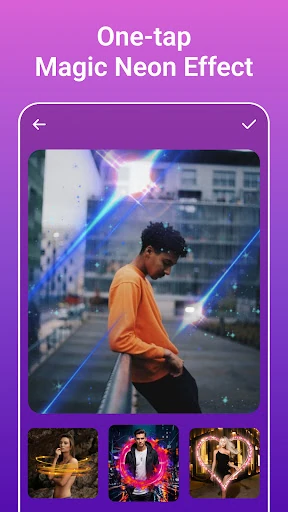
The interface of PicsLeap is engineered for immediate accessibility, prioritizing "one-tap" solutions that appeal to the fast-paced social media demographic. The UX design minimizes friction by automating complex processes like background isolation and texture masking, which are typically labor-intensive. While the breadth of features is extensive, the logical categorization—from basic cropping to advanced Double Exposure—ensures that the interface remains navigable for both novices and power users seeking precision adjustments.
⚖️ Pros & Cons Analysis
- ✅ The Good: Offers watermark-free exports, allowing for professional use on platforms like Instagram and Facebook without distracting branding.
- ✅ The Good: The comprehensive AI suite combines enhancement, removal, and creative stylization into a single, cohesive workflow.
- ❌ The Bad: The high density of varied features—ranging from body tattoos to professional HSL tools—may lead to a slightly cluttered interface for users seeking a minimalist experience.
- ❌ The Bad: Automated AI removal can occasionally struggle with extremely complex backgrounds, requiring manual oversight to ensure pixel-perfect results.
🛠️ Room for Improvement
To further solidify its standing as a top-tier editor, PicsLeap could benefit from the introduction of batch processing capabilities, allowing users to apply specific filters or AI enhancements to multiple images simultaneously. Additionally, implementing a more robust non-destructive editing history or a layer-based management system would provide advanced users with greater flexibility to backtrack through complex creative sessions.
🏁 Final Conclusion & Recommendation
PicsLeap–AI Photo Editor &Grid is an ideal choice for social media content creators, digital hobbyists, and anyone looking to breathe new life into old memories. It offers a powerful blend of automated AI magic and manual creative control. For users seeking a professional, high-fidelity editing experience on a mobile platform without the burden of watermarks, this app is a highly recommended addition to their creative toolkit.